DYSEKT docs · Shaping sound
Macros and automation
Eight bipolar macros that each move many settings at once, with MIDI learn, and 16 automation pads that put any control in your DAW's automation.
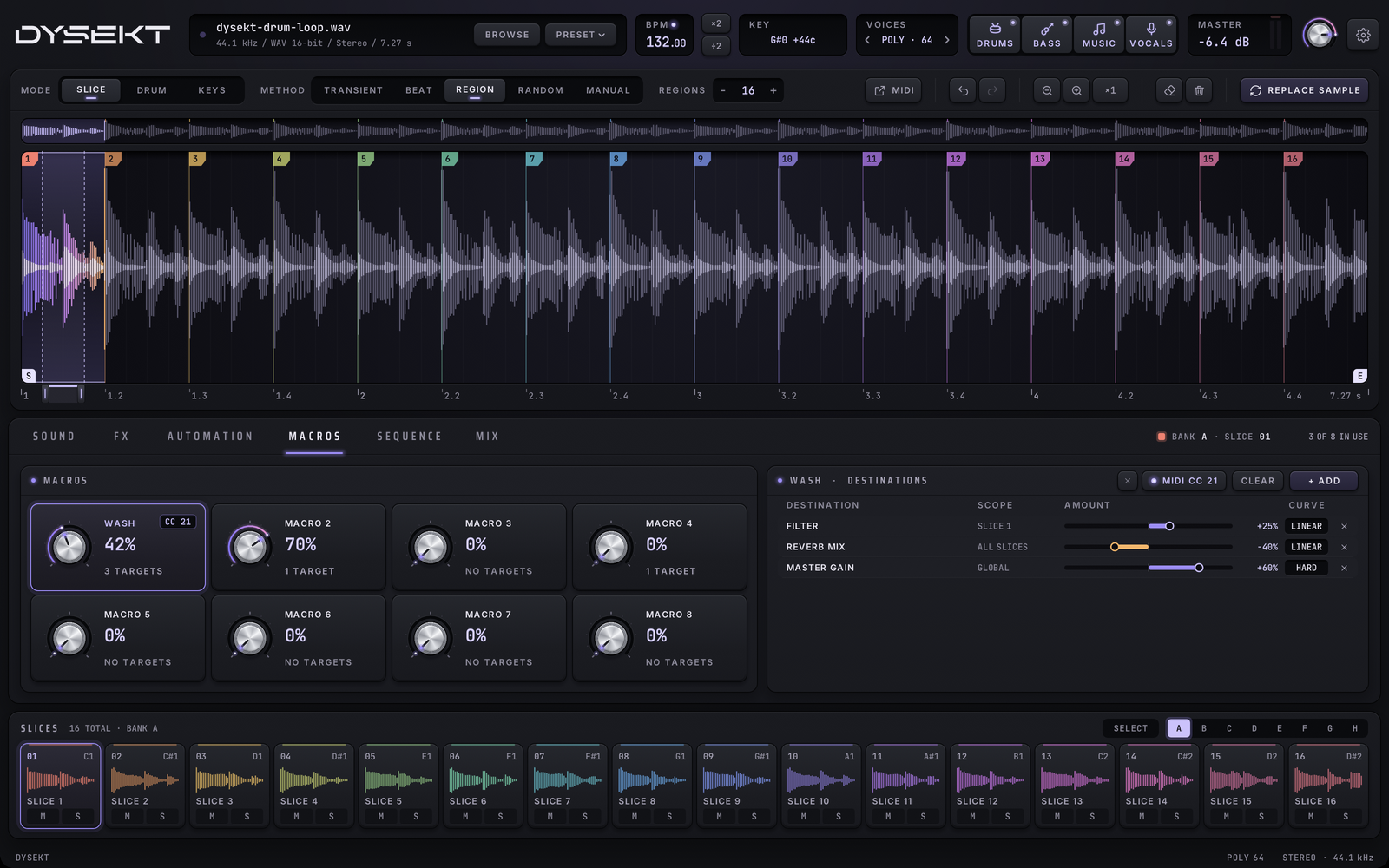
#Macros
The MACROS tab has eight knobs. Each one can move many settings at once, by different amounts and in different directions.
- Drag a macro to turn it. Shift-drag for fine steps.
- Double-click a macro to reset it.
- Click a macro to show its destinations.
- Double-click its name to rename it.
#Add destinations
- Select the macro and click ASSIGN.
- Click any control in DYSEKT. It becomes a destination of the macro.
For each destination:
- AMOUNT sets how far the macro moves it. It's bipolar: a negative amount moves the control the other way. Double-click to reset it.
- CURVE sets the response curve. Click to cycle through the curves.
- The remove key takes the destination off.
CLEAR removes every destination from the macro. Esc cancels an assignment you've started.
#MIDI learn
- Select a macro and click MIDI LEARN.
- Move a knob or fader on your MIDI controller.
The macro now follows that control. CLEAR MIDI forgets it.
#Automation
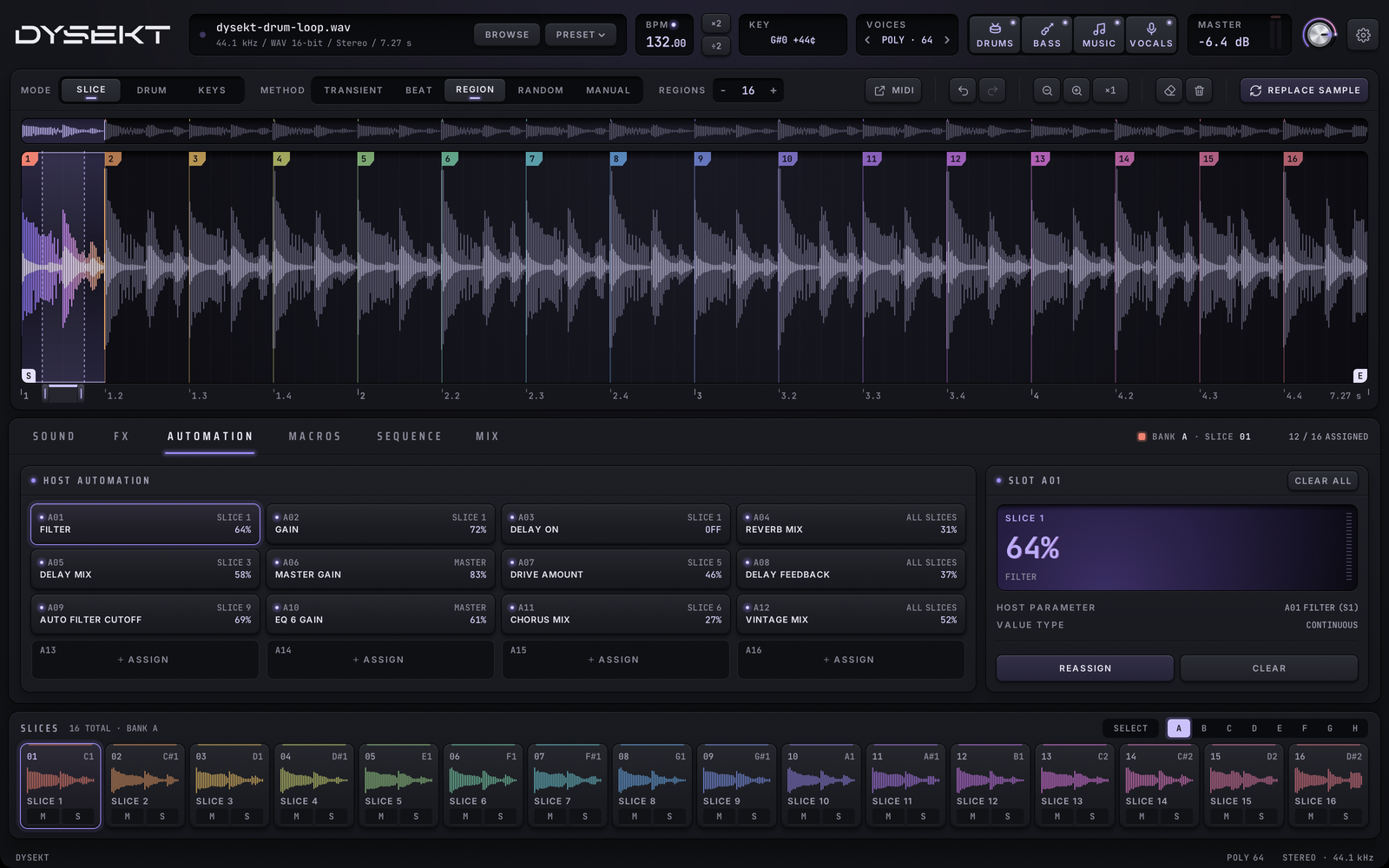
DYSEKT gives your DAW 48 automation parameters, set up from the 16 automation pads on the AUTOMATION tab.
#Assign a control
- Click an empty slot (SLOT A01 and so on), or select one and click ASSIGN.
- Click any control in DYSEKT. The slot now controls it.
Then:
- Drag a slot to set its value.
- REASSIGN links a different control to the selected slot.
- CLEAR unassigns the selected slot; CLEAR ALL unassigns every slot.
- SELECTED SLOT shows what the selected slot controls.
- HOST PARAMETER shows the slot's name in your DAW. Find it in your DAW's automation list by this name.
#Chord and arp settings
The CHORDS and ARP settings are host parameters of their own, so you can automate them directly from your DAW without assigning a slot.